



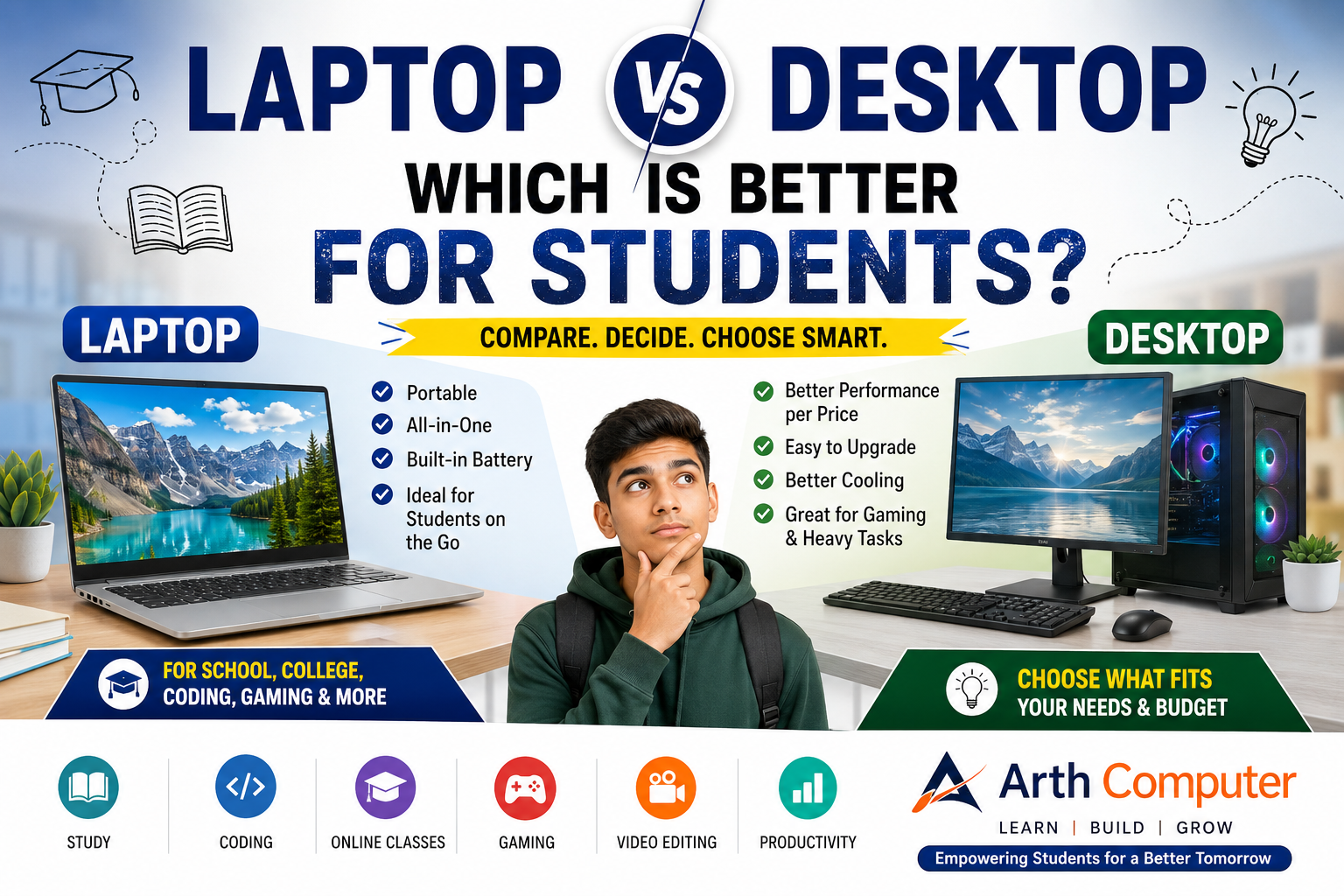
A student needs a computer for schoolwork. A parent starts looking at different options and soon runs into the same question: Should I buy a laptop or a desktop?
It sounds like an easy decision, but the answer depends on what the student actually plans to do with the computer.
Someone who attends online classes, travels to college, and wants to learn programming may benefit from a laptop. A student who studies at home, enjoys gaming, or wants a powerful computer that can be upgraded later may find a desktop more suitable.
There is no single best computer for students. The better choice depends on portability, budget, performance, available space, and the type of work the student expects to do.
Let's compare both options in practical terms.
Laptop vs Desktop: Quick Comparison
| Feature | Laptop | Desktop |
|---|---|---|
| Portability | Excellent | Very limited |
| Performance | Depends on configuration | Often strong for the price |
| Initial setup | Mostly all-in-one | Requires monitor and peripherals |
| Upgradeability | Limited on many models | Generally better |
| Repairability | Depends on the model | Often easier |
| Power consumption | Usually lower | Usually higher |
| Screen size | Built-in display | Can use a large monitor |
| Battery | Built-in | No battery |
| Gaming | Good on suitable models | Very good flexibility |
| Programming | Excellent for most students | Excellent |
| Online classes | Very convenient | Works well with the right setup |
| Video editing | Good on suitable hardware | Often better for demanding work |
| Long-term upgrades | Limited | Generally easier |
One thing is important here: a laptop is not automatically slower than a desktop, and a desktop is not automatically better. Actual performance depends on the processor, RAM, storage, graphics hardware, cooling, and other components.
Why a Laptop Can Be a Good Choice for Students
1. You Can Take It Anywhere
Portability is the biggest reason many students choose a laptop.
A school or college student may use the same computer at home, in a classroom, at a library, or while travelling. Carrying a laptop is much easier than moving a complete desktop setup.
For college students especially, this can make a big difference.
Imagine working on a project in the college library and then continuing it at home. With a laptop, the computer comes with you.
2. It Is Convenient for Online Classes
A typical laptop already includes a display, keyboard, touchpad, webcam, microphone, speakers, and battery.
That makes it convenient for online classes.
You don't need to buy a separate webcam or monitor just to get started. Open the laptop, connect to the internet, and you can join your class.
A desktop can certainly handle online classes too, but the setup usually involves more individual components.
3. It Works Well for School and College Work
Students use computers for much more than typing assignments.
A student might need a computer for:
- Research
- Presentations
- Word processing
- Spreadsheets
- Online learning
- Programming
- Video meetings
- Downloading study material
- Creating projects
A laptop handles these tasks while giving the student the freedom to move around.
4. It Takes Less Space
A laptop can fit on a relatively small desk.
This is useful for students who have limited study space or live in a hostel or shared room.
A desktop setup normally needs room for the computer case, monitor, keyboard, mouse, and possibly speakers or other accessories.
5. One Device Covers Most Basic Needs
For many students, the convenience of having everything in one device is difficult to beat.
You don't have to think separately about a monitor, keyboard, webcam, and battery. They are already part of the laptop.
Disadvantages of a Laptop
Laptops have plenty of advantages, but there are some compromises.
Limited Upgradeability
Many laptops offer less upgrade flexibility than desktops. Some models allow RAM or storage upgrades, while others have components that cannot easily be replaced.
If you are buying a laptop with the intention of using it for several years, check its upgrade options before making a decision.
Battery Capacity Decreases Over Time
Laptop batteries naturally lose capacity with use.
A new laptop might provide several hours of battery life under certain conditions, but the battery may not perform the same way after years of use.
Battery life also varies considerably depending on screen brightness, applications, processor load, and other factors.
Repairs Can Be More Complicated
Laptop components are packed into a relatively small chassis.
Depending on the model and the fault, repairing or replacing a component can be more involved than doing the same job on a desktop.
Performance Depends Heavily on the Model
Two laptops with similar processor names can perform differently.
Cooling, power limits, RAM configuration, SSD, graphics hardware, and the manufacturer's design can all affect the actual experience.
This is why choosing a laptop based only on the processor name is not a good idea.
Why a Desktop Can Be Better for Some Students
A desktop is not as convenient to carry around, but it has its own strengths.
1. More Performance Potential
A desktop can be an excellent choice when performance matters more than portability.
There is generally more physical room for cooling and larger components. This can be useful for demanding workloads such as gaming, video editing, 3D work, and other resource-intensive applications.
The exact performance still depends on the components selected.
2. Easier Upgrades
One of the biggest advantages of a desktop computer for students is upgradeability.
Depending on the system, you may be able to upgrade:
- RAM
- SSD or other storage
- Graphics card
- Power supply
- Cooling components
- Other internal hardware
This means a student can improve parts of the computer later instead of replacing the complete system.
3. Large Monitor Options
A desktop gives you more freedom when choosing a display.
A large monitor can be useful for studying, programming, editing documents, researching online, or working with multiple windows.
For example, a coding student may find it comfortable to keep their code editor open on one side of the screen and documentation or a browser on the other.
4. Useful for Gaming and Heavy Work
If a student wants to play demanding games or work with video editing, 3D applications, or other heavy software, a desktop can provide a lot of flexibility.
You can choose components according to your requirements instead of buying a fixed laptop configuration.
5. Easier Access to Components
Desktop components are generally easier to access than laptop components.
That can make cleaning, troubleshooting, replacing parts, and upgrading the system simpler.
Disadvantages of a Desktop
The biggest weakness of a desktop is portability.
Once you have a monitor, computer case, keyboard, mouse, and other accessories connected, moving the entire setup is inconvenient.
A desktop also requires a permanent power connection.
And if you are buying a complete setup from scratch, remember to include the cost of the monitor and peripherals in your budget.
For a student who travels frequently, these limitations may outweigh the performance advantages.
Laptop vs Desktop for Coding and Programming
Students often worry that they need an expensive computer to start programming.
Usually, they don't.
A beginner learning Python, HTML, CSS, JavaScript, or basic full-stack development can get started with a reasonably capable computer.
Applications such as VS Code and common development tools do not automatically require a high-end gaming computer.
Laptop for Coding Students
A laptop can be particularly useful for programming students because it can travel with them.
It works well for:
- Python practice
- Web development
- VS Code
- College programming assignments
- Small development projects
- Coding classes
- Online programming courses
If you attend a coding class or regularly work in different locations, a laptop's portability can be more valuable than having extra performance you rarely use.
Desktop for Programming
A desktop makes sense when the student mainly works at home.
It can provide:
- A larger display
- Better upgrade options
- A comfortable permanent workspace
- More flexibility for demanding development environments
For a beginner, however, buying an extremely powerful machine simply because it is intended for programming is often unnecessary.
Start with what your projects actually require.
[Internal link: Coding Classes]
Laptop vs Desktop for Online Classes
For online learning, a laptop is usually the more convenient option.
The webcam, microphone, display, speakers, and battery are already integrated. A student can move the laptop to a different room or location without rebuilding the entire setup.
A desktop can still be an excellent choice if the student has a dedicated study area.
In fact, a desktop with a comfortable chair, large monitor, keyboard, and good webcam can create an excellent long-term study workstation.
So the question is really:
Do you need portability, or do you prefer a permanent study setup?
Laptop vs Desktop for Gaming
Gaming changes the comparison somewhat.
A gaming laptop gives students the ability to play games while also carrying the same machine to college or another location.
A desktop, however, offers more flexibility when selecting and upgrading hardware.
For someone who mainly plays games at home, a desktop can be attractive because individual components can often be upgraded later.
For someone who needs both gaming and portability, a gaming laptop may be more practical.
Don't assume that every desktop will outperform every laptop. Compare the actual processor, GPU, RAM, storage, cooling system, and display requirements.
Laptop vs Desktop for Video Editing
Students interested in YouTube, filmmaking, media projects, or video editing should look beyond the laptop-versus-desktop label.
The hardware matters more.
Processor
Video editing can benefit from a capable processor, particularly during rendering and processing tasks.
RAM
The amount of RAM you need depends on the software and the complexity of your projects. More demanding projects can benefit from additional memory.
SSD
An SSD can make applications and files feel much more responsive and is a sensible choice for a modern student computer.
GPU
A suitable GPU can be important for certain editing applications, effects, and accelerated workloads.
Cooling
Video editing can keep the processor and graphics hardware busy for extended periods. Cooling therefore matters when considering sustained performance.
Display
If you edit videos regularly, display size and quality also matter.
For demanding creative work performed mostly at home, a desktop may offer more performance and upgrade flexibility.
For students who need to edit from different locations, a capable laptop can be worth the trade-off.
Which Is Better for School Students?
There isn't one answer for every age group.
Class 5–8
For younger students doing schoolwork, browsing, educational activities, documents, and online classes, a basic-to-mid-range laptop can be convenient.
A desktop can also work perfectly well if the computer will stay at home.
At this stage, buying the most powerful hardware available is rarely necessary.
Class 9–12
Older school students may have more demanding requirements.
They may need the computer for:
- School projects
- Presentations
- Online courses
- Research
- Coding
- Basic creative work
If the student moves between home and classes, a laptop has an obvious advantage.
If the computer will stay on a desk at home, a desktop remains a good option.
Students Learning Coding
Both laptops and desktops can handle beginner programming.
Choose a laptop when portability matters.
Choose a desktop when the student mainly works from home and wants a larger workspace or greater upgrade flexibility.
Students Interested in Gaming
Gaming requirements should be considered separately.
Instead of buying a gaming machine simply because it sounds powerful, look at the games the student actually wants to play and the desired performance level.
Which Is Better for College Students?
For many college students, a laptop is the more practical option.
College work can involve assignments, presentations, programming, research, group projects, online meetings, and internships.
Students may also need to move between classrooms, libraries, hostels, and home.
A laptop handles that lifestyle well.
A desktop can still be the better choice for a college student who studies primarily at home and wants a dedicated workstation for gaming, programming, editing, or other demanding tasks.
Laptop vs Desktop: Which Gives Better Value for Money?
This is where people often compare prices incorrectly.
A laptop normally comes as a complete package.
With a desktop, you may need to buy a monitor, keyboard, mouse, webcam, speakers, and other accessories separately.
On the other hand, a desktop can offer strong hardware value and easier upgrades in many configurations.
So instead of asking:
"Which one is cheaper?"
ask:
"Which one gives me the features and performance I actually need?"
For example, paying extra for portability makes sense if you carry the computer to college every day.
If the computer never leaves your desk, spending that money on performance, storage, a better monitor, or future upgrades may make more sense.
What Should You Buy?
Here is a simple way to decide.
Choose a laptop if:
- You need portability
- You attend classes in different locations
- You travel frequently
- You study in college or a hostel
- You attend online classes from different places
- You want an all-in-one computer
Choose a desktop if:
- You mainly study at home
- You want strong performance for your budget
- You want to upgrade components later
- You prefer a larger display
- You plan to do gaming or heavier workloads
- You want a permanent workstation
The Practical Answer
If you are a student who carries your computer around, a laptop is usually the safer choice.
If you study mostly at home and care more about performance, upgradeability, screen size, gaming, or demanding workloads, a desktop may be the better option.
Don't buy based only on a specification sheet.
Think about where the computer will be used, what software you need today, and what you are likely to do with it over the next few years.
A computer that fits your actual needs is usually a better purchase than one that simply has the biggest numbers.
Frequently Asked Questions
Is a laptop or desktop better for students?
A laptop is generally better for students who need portability. A desktop can be better for students who mainly study at home and want a larger, more upgradeable setup.
Is a laptop good enough for programming?
Yes. Most beginners can learn programming comfortably on a reasonably capable laptop. Python, web development, VS Code, and many beginner projects do not require an extremely powerful computer.
Is a desktop cheaper than a laptop?
It depends on the configuration. A desktop can provide strong hardware value, but you should also include the cost of the monitor and other peripherals when comparing prices.
Which is better for online classes?
A laptop is usually more convenient because the webcam, microphone, display, speakers, and battery are already built in.
Which is better for gaming?
Both can work well. A desktop generally offers greater upgrade flexibility, while a gaming laptop provides portability.
Can a student use a laptop for coding?
Absolutely. A laptop is one of the most practical options for students learning coding because it can be used at home, in class, at college, or while travelling.
[Internal link: Python Course]
Is 8GB RAM enough for students?
For basic schoolwork, browsing, documents, online classes, and many beginner tasks, 8GB can be sufficient. More demanding software and multitasking may benefit from additional RAM.
The right amount depends on the student's workload and the rest of the computer's configuration.
How much storage does a student need?
It depends on how the computer will be used.
For normal study work, documents, applications, and browsing, a reasonably sized SSD is a sensible starting point. Students who store large games, videos, or creative projects may need more storage.
Should school students buy a gaming laptop?
Not necessarily.
If the student doesn't play demanding games, a gaming laptop may add unnecessary cost, weight, and power consumption. Choose one based on actual requirements rather than the gaming label.
Is a desktop better for long-term use?
A desktop can be easier to upgrade, which may help it remain useful as requirements change. However, longevity depends on component quality, maintenance, usage, and whether the hardware continues to meet the user's needs.
Final Thoughts
The laptop vs desktop decision becomes much easier when you stop asking which computer is "better" and start asking which one is better for you.
A student who needs flexibility will probably appreciate a laptop.
A student who works from a fixed location and wants a powerful, upgradeable setup may prefer a desktop.
For parents, the same rule applies: don't choose a computer simply because it has impressive specifications. Think about the student's age, study habits, software requirements, and likely needs over the next few years.
And for students learning computer skills, remember that the machine is only one part of the journey. What you learn and what you build with it matter far more than having the most expensive computer on the desk.
[Internal link: Computer Courses]
Students interested in programming and technology can also explore [Internal link: Full Stack Development], [Internal link: AI & Machine Learning], and [Internal link: Computer Classes for Students] at Arth Computer.
SEO Details
SEO Title:
Laptop vs Desktop for Students: Which Is Better?
Meta Description:
Laptop or desktop for students? Compare cost, performance, portability, coding, gaming, online classes and upgrades before choosing the right computer.
Suggested URL Slug:
laptop-vs-desktop-for-students
Primary Keyword:
Laptop vs Desktop for Students
Secondary Keywords:
- laptop or desktop for students
- laptop vs desktop computer
- best computer for students
- laptop for college students
- desktop computer for students
- laptop for coding students
- laptop vs desktop for programming
- laptop vs desktop for online classes
- laptop vs desktop for gaming
- laptop vs desktop for video editing
Suggested Images + Alt Text
Image 1
Idea: A student comparing a laptop and desktop at a study desk.
Alt text: Laptop vs desktop computer for students
Image 2
Idea: College student carrying a laptop while studying.
Alt text: College student using a laptop for study
Image 3
Idea: Student writing code on a laptop.
Alt text: Student learning programming on a laptop
Image 4
Idea: Desktop computer with a large monitor and study setup.
Alt text: Desktop computer setup for students
Image 5
Idea: Side-by-side laptop and desktop workstation showing the differences.
Alt text: Laptop and desktop comparison for students
Internal Linking Opportunities
Use internal links only where they naturally support the reader.
- Computer Courses → when discussing general computer education
- Coding Classes → when discussing programming
- Python Course → when discussing Python
- Full Stack Development → when discussing web development
- AI & Machine Learning → when discussing advanced technology learning
- Computer Classes for Students → when discussing school and beginner computer education
Use the actual Arth Computer page URLs after checking your site's current URL structure; don't create URLs that don't exist.